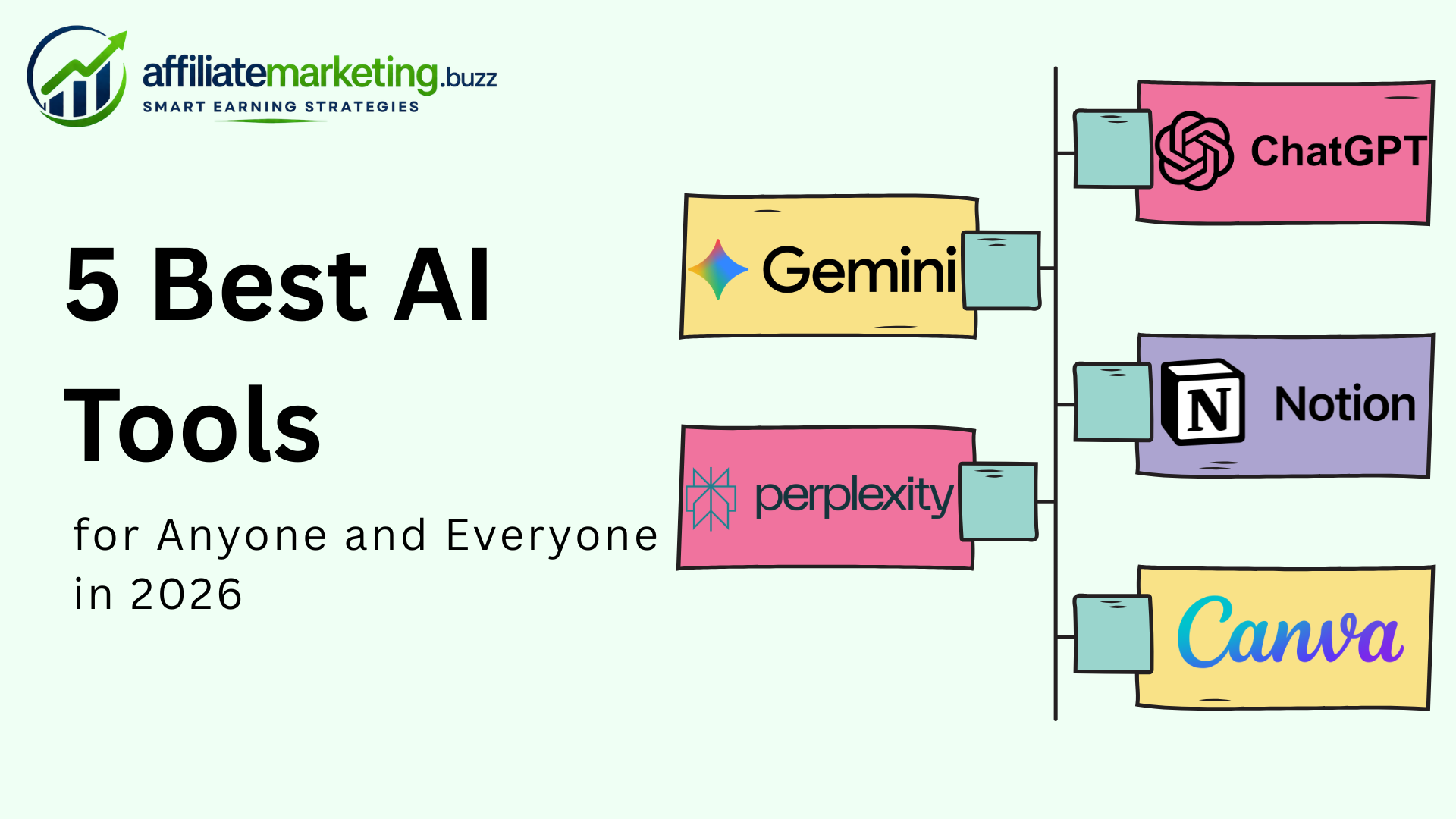
The best AI tools in 2026 aren't just for tech professionals or Silicon Valley startups anymore. They're for students drafting essays, small business owners writing emails, marketers creating campaigns, freelancers managing clients, and anyone who wants to get more done in less time.
The AI landscape has exploded. There are now hundreds of AI-powered applications covering writing, design, research, coding, video, analytics, and automation. The sheer volume creates its own problem — which tools actually deserve your time and attention?
This guide cuts through the noise. These five AI tools were selected based on three criteria: they're genuinely useful for a broad range of people (not just niche professionals), they have functional free tiers, and they've proven their value across millions of users in real-world workflows. Whether you work in digital marketing, run a business, create content, or simply want to be more productive, these tools deliver.
1. ChatGPT — The Most Versatile AI Assistant Available

ChatGPT by OpenAI has become the default AI tool for most people — and for good reason. It handles the widest range of tasks at the highest quality level of any single AI platform.
What Makes ChatGPT Stand Out
ChatGPT's core strength is versatility. Within a single conversation, you can draft a business proposal, debug a Python script, brainstorm birthday party ideas, analyze a spreadsheet, generate an image, and get advice on a career decision. No other tool matches this breadth.
The current flagship model, GPT-4o, processes text, images, audio, and files with impressive accuracy. Key capabilities include:
- Writing and editing — blog posts, emails, social media captions, reports, creative fiction, academic papers. ChatGPT's tone adaptability is its strongest writing feature — it shifts naturally between formal, conversational, persuasive, and technical registers.
- Code generation — writes, explains, and debugs code across Python, JavaScript, SQL, HTML/CSS, and dozens more languages. GitHub Copilot runs on the same underlying technology.
- Image creation — DALL-E integration generates custom images, illustrations, logos, and marketing graphics from text descriptions.
- Research and analysis — web browsing, document analysis, data interpretation, and summarization. Upload a PDF, spreadsheet, or image and ask questions about it.
- Custom GPTs — build specialized AI assistants tailored to specific workflows. A marketer can create a GPT trained on their brand voice guidelines; a teacher can build one aligned to their curriculum.
Who Benefits Most
Everyone, genuinely. But certain groups see outsized productivity gains:
- Content creators and marketers — ChatGPT accelerates every stage of the content pipeline, from ideation and outlining to drafting and optimization. For digital marketing professionals managing blogs, email campaigns, and social media, it's the single most impactful tool.
- Affiliate marketers — drafting product reviews, comparison articles, and email sequences that promote affiliate program products is significantly faster with ChatGPT. The key is adding genuine product experience on top of AI-generated structures.
- Students and researchers — summarizing papers, explaining complex concepts, and generating study materials.
- Small business owners — writing customer emails, creating marketing materials, drafting policies, and handling tasks that previously required hiring specialists.
Pricing
- Free tier — GPT-4o with usage limits, DALL-E (limited), web browsing, file uploads.
- Plus ($20/month) — higher limits, persistent memory, priority access, custom GPTs.
- Team ($25/user/month) — workspace features, admin controls, enhanced privacy.
Honest Limitations
ChatGPT hallucinates — it generates confident-sounding incorrect information. Always fact-check outputs, especially statistics, dates, quotes, and technical claims. It's also not connected to your personal data unless you explicitly upload it, unlike tools that integrate with your existing workspace.
2. Google Gemini — The Best AI for Research and Google Ecosystem Users

Google Gemini is ChatGPT's most direct competitor, and in certain workflows, it's the better choice — particularly for anyone already embedded in Google's ecosystem.
What Makes Gemini Stand Out
Gemini's defining advantage is native integration with Google services. It doesn't just browse the web — it lives inside Google Search, Gmail, Google Docs, Google Sheets, Google Slides, Google Drive, and Google Maps. This means:
- Real-time information — Gemini pulls current data from Google Search natively, making it more reliable for research, fact-checking, and questions about recent events.
- Workspace AI — ask Gemini to draft a reply in Gmail, summarize a document in Google Docs, create a formula in Google Sheets, or generate slides in Google Slides — all without leaving those applications.
- Multimodal natively — Gemini was built from the ground up to process text, images, audio, and video simultaneously, not as bolted-on features.
- Google Maps and YouTube integration — ask for restaurant recommendations near a location, or have it summarize a YouTube video by pasting the link.
Who Benefits Most
- Knowledge workers in Google Workspace — if your daily tools are Gmail, Docs, Sheets, and Drive, Gemini's native integration saves significant time compared to switching between applications and a separate AI chat window.
- Researchers and journalists — Gemini's real-time search access and source citation make it the stronger choice for fact-dependent work.
- Digital marketers using Google tools — analyzing Google Analytics data, interpreting Search Console reports, and managing Google Ads campaigns with AI assistance directly inside those platforms.
- Students — Gemini's research accuracy and integration with Google Docs make it particularly useful for academic work.
Pricing
- Free tier — Gemini Pro model, web browsing, image generation (limited), basic Google Workspace integration.
- Gemini Advanced ($19.99/month via Google One AI Premium) — Gemini Ultra model, 2TB storage, full Workspace AI features, priority access.
Honest Limitations
Gemini's writing quality, while improved significantly, still trails ChatGPT in creative and persuasive contexts. Its image generation applies stricter content filters, which can frustrate creative professionals. And outside the Google ecosystem, its integration advantage disappears.
3. Canva — The Best AI-Powered Design Tool for Non-Designers
Canva has evolved from a simple drag-and-drop design tool into a full AI-powered creative suite. Its Magic Studio features make professional-quality design accessible to anyone, regardless of skill level.
What Makes Canva Stand Out
Canva's AI features are integrated directly into a design tool millions already use — which means you don't need to learn a new platform. Key AI capabilities include:
- Magic Design — describe what you want, and Canva generates complete design templates — presentations, social media posts, flyers, logos, and more. It suggests layouts, color schemes, and imagery based on your description.
- Magic Write — AI text generation built into the design canvas. Write headlines, body copy, social captions, and marketing text without leaving the design editor.
- Magic Eraser and Background Remover — edit images with AI-powered tools that remove objects, people, and backgrounds with one click.
- Text to Image — generate custom illustrations and images from text prompts, directly within your design. Similar to DALL-E but embedded in a design workflow.
- Magic Animate — automatically add animations to static designs for social media and presentations.
- Brand Kit — store your brand colors, fonts, logos, and templates so every AI-generated design stays consistent with your visual identity.
Who Benefits Most
- Social media managers and digital marketers — creating consistent, on-brand visuals for Instagram, TikTok, Pinterest, LinkedIn, and YouTube thumbnails is Canva's core strength. For digital marketing teams without dedicated designers, Canva replaces the need for expensive design software and freelance designers.
- Affiliate marketers — product comparison graphics, blog featured images, Pinterest pins (a major traffic source for affiliate content), and email header images are all straightforward in Canva.
- Small business owners — menus, business cards, promotional flyers, social media ads, and presentation decks — all professional quality, all without design training.
- Content creators — YouTube thumbnails, podcast cover art, and newsletter visuals.
- Students and educators — presentations, infographics, and visual projects.
Pricing
- Free tier — access to 250,000+ templates, basic Magic Design, limited Magic Write, basic image editing. Genuinely useful without paying.
- Canva Pro ($12.99/month) — full Magic Studio suite, Background Remover, Brand Kit, premium templates, 100GB storage.
- Canva Teams ($14.99/month per person) — everything in Pro plus team collaboration, brand controls, and shared asset libraries.
Honest Limitations
Canva's AI design suggestions can feel templated if you rely on them exclusively. Truly distinctive branding still requires human creative direction. Canva is also not a replacement for Adobe Photoshop or Illustrator for complex, pixel-level design work — it's designed for speed and accessibility, not precision editing.
4. Perplexity AI — The Best AI-Powered Research and Search Engine
While ChatGPT and Gemini can browse the web, Perplexity AI was built from the ground up as an AI-powered search engine. That singular focus makes it the best tool for anyone who needs accurate, sourced answers to research questions.
What Makes Perplexity Stand Out
Perplexity's core differentiator is source transparency. Every answer includes inline citations linking to the original sources — news articles, academic papers, official websites, and databases. You can verify every claim without additional searching.
Key features include:
- Cited answers — every response includes numbered source references. Click any citation to read the original source. This dramatically reduces the risk of AI hallucinations because you can verify claims immediately.
- Focus modes — search across the entire web, or narrow to academic papers, YouTube videos, Reddit discussions, or news sources. This filtering helps you find the right type of information faster.
- Follow-up questions — Perplexity suggests related questions based on your initial query, enabling deeper exploration of topics naturally.
- Collections — organize research into themed collections, building a knowledge base around specific projects or topics.
- File analysis — upload documents and ask Perplexity to analyze, summarize, or answer questions about them — with citations from both the document and web sources.
Who Benefits Most
- Researchers and students — academic research with proper source citations is Perplexity's strongest use case. It finds peer-reviewed papers, government data, and authoritative sources faster than manual searching.
- Journalists and writers — fact-checking, background research, and finding primary sources for articles.
- Digital marketing professionals — competitor research, industry trend analysis, and data-backed content creation. When writing data-driven blog posts or reports, Perplexity provides citable statistics faster than manual research.
- Affiliate marketers — researching product specifications, user reviews, and current pricing for accurate affiliate content. Before writing a product review, Perplexity can compile recent user feedback, expert reviews, and specification comparisons from across the web — all with sources.
- Anyone making a purchase decision — Perplexity excels at unbiased product research because it aggregates information from multiple sources rather than generating opinions.
Pricing
- Free tier — unlimited basic searches, standard AI model, limited Pro searches (which use more advanced models and provide deeper analysis).
- Pro ($20/month) — unlimited Pro searches, file uploads, advanced model selection (GPT-4o, Claude), and priority access.
Honest Limitations
Perplexity is a research tool, not a creation tool. It doesn't write blog posts, design images, generate code, or build creative content the way ChatGPT or Canva do. If you need to create, use a different tool. If you need to know, Perplexity is unmatched.
5. Notion AI — The Best AI for Organizing Work and Knowledge Management
Notion was already one of the most popular productivity tools globally. Notion AI transforms it from a workspace into an intelligent assistant that understands your projects, notes, and data.
What Makes Notion AI Stand Out
Unlike standalone AI chatbots, Notion AI works inside your existing workspace. It has context — it knows your notes, project documents, meeting agendas, databases, and wikis because they already live in Notion. This context-aware AI assistance is fundamentally different from asking ChatGPT a question in a vacuum.
Key capabilities include:
- Q&A across your workspace — ask Notion AI a question and it searches across all your pages, databases, and documents to find the answer. "What did we decide about the Q3 marketing budget?" pulls the answer from your meeting notes without you remembering which page it's on.
- Writing assistance — draft, edit, summarize, translate, and improve text directly within any Notion page. Write a rough meeting note and ask Notion AI to clean it into a professional summary.
- Database autofill — AI populates database properties automatically. Add a "Summary" column to a project tracker and Notion AI fills it based on each project's linked documents.
- Action item extraction — paste meeting notes and Notion AI extracts action items, deadlines, and assignees into a structured list.
- Template generation — describe the workflow or template you need, and Notion AI builds it within your workspace.
Who Benefits Most
- Project managers and team leads — tracking projects, meeting notes, action items, and team wikis with AI assistance that understands the full context of your work.
- Content creators and marketers — building editorial calendars, content databases, client trackers, and campaign planning documents. For affiliate marketing specifically, Notion is excellent for tracking affiliate program partnerships, commission data, content performance, and publishing schedules in one connected workspace.
- Freelancers and solopreneurs — managing clients, projects, invoices, and knowledge bases. Notion AI reduces the administrative overhead that eats into productive time.
- Students — organizing class notes, research materials, study schedules, and group project coordination.
- Remote teams — shared wikis, SOPs, and documentation that AI makes searchable and interactive.
Pricing
- Free tier — Notion is free for personal use with limited AI queries.
- Plus ($10/month) — unlimited file uploads, 30-day version history, limited Notion AI.
- Notion AI add-on ($8/member/month) — unlimited AI features across all plans.
- Business ($15/member/month) — advanced permissions, bulk export, SAML SSO.
Honest Limitations
Notion AI only works within Notion. If your workflow doesn't include Notion, the AI features don't exist for you. There's also a learning curve — Notion's flexibility means you spend time setting up your workspace structure before AI can add value on top of it. And Notion AI's writing quality for long-form content doesn't match ChatGPT's polish.
How These AI Tools Connect to Affiliate Marketing and Monetization
For readers involved in affiliate marketing, these five tools aren't just productivity boosters — they're also monetization opportunities.
Using AI Tools to Create Better Affiliate Content
The workflow combining these tools creates a powerful affiliate content engine:
- Perplexity AI — research products, gather specifications, compile user reviews, and find current pricing data with citations.
- ChatGPT — draft the review, comparison, or buying guide using your research and genuine product experience.
- Canva — create featured images, comparison graphics, Pinterest pins, and social media promotional visuals.
- Notion AI — track your content calendar, affiliate program commissions, keyword targets, and publishing schedule.
- Gemini — validate facts, check real-time pricing, and analyze performance data from Google Analytics and Search Console.
Each tool handles a specific stage of the affiliate content workflow, and all five have free tiers — meaning you can build a complete affiliate marketing content operation without upfront investment.
Earning Through AI Tool Affiliate Programs
Most of these AI tools offer their own affiliate programs, creating an opportunity to earn while recommending tools you genuinely use:
- Canva has an affiliate program through Impact, paying commissions on new Pro and Teams subscriptions.
- Notion offers a referral program with credits for referred users.
- Many AI tools are available through affiliate networks like ShareASale, CJ Affiliate, and Impact — allowing you to promote them alongside other products in your niche.
For content creators who write about productivity, AI tools, or digital marketing, reviewing and recommending these tools through affiliate network partnerships creates a natural revenue stream. You're recommending tools you use daily to an audience that needs them — the ideal affiliate relationship.
Building an AI Tools Review Niche
The AI tools space is one of the fastest-growing niches for affiliate marketing in 2026. New tools launch weekly, existing tools add features constantly, and millions of people search for comparisons and reviews before subscribing.
Building an affiliate marketing website focused on AI tool reviews, comparisons, and tutorials positions you in a high-demand, high-commission niche. Most SaaS affiliate programs pay recurring commissions — meaning each referral generates ongoing monthly income, not just a one-time payment.
How to Choose the Right AI Tool for Your Needs
With five strong options, the question isn't which tool is "best" — it's which combination fits your specific workflow.
For Content Creators and Bloggers
Start with ChatGPT (writing), Canva (visuals), and Perplexity (research). These three cover the full content creation cycle — research, create, design — at zero cost on free tiers.
For Digital Marketing Teams
Use all five. Gemini for Google ecosystem analytics, ChatGPT for content and copy, Canva for design, Perplexity for competitive research, and Notion for project management and coordination.
For Students and Researchers
Perplexity AI (cited research) and Notion AI (organization) are the most impactful pair. Add ChatGPT for explaining complex concepts and drafting papers.
For Small Business Owners
ChatGPT (general assistant) and Canva (design) deliver the most value for the least complexity. As needs grow, add Notion for organization and Gemini for Google Workspace integration.
For Affiliate Marketers
ChatGPT (content), Perplexity (product research), Canva (graphics), and Notion (tracking) form the core stack. Join relevant affiliate programs through an affiliate network like Impact or ShareASale to monetize your recommendations.
Conclusion
The best AI tools in 2026 — ChatGPT, Google Gemini, Canva, Perplexity AI, and Notion AI — each solve different problems exceptionally well. ChatGPT is the most versatile creative and writing assistant. Gemini is the strongest research and Google ecosystem companion. Canva democratizes professional design. Perplexity delivers cited, trustworthy research. Notion AI turns your workspace into an intelligent knowledge base.
For digital marketing professionals and affiliate marketing content creators, these tools collectively cover every stage of the workflow — from research and writing to design, optimization, and project management. Every tool offers a functional free tier, and most offer affiliate programs through major affiliate networks, creating both productivity gains and monetization opportunities.
The AI tools landscape will keep evolving. But these five have proven their value across millions of users and workflows. Start with the one or two that match your most pressing needs, build proficiency, and expand from there.